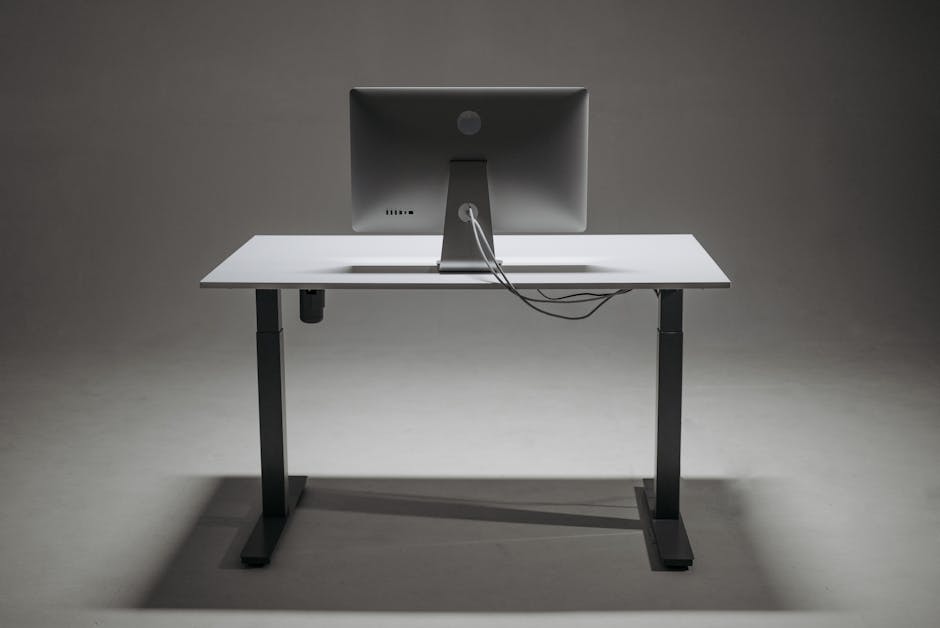
Photo: Pavel Danilyuk / Pexels
Remote work is the practice of working at or from one's home or another space rather than from an office or workplace.
Found this helpful? Share it!
Our team reviews ergonomic furniture, desk accessories, and productivity tools so you don't have to. Every recommendation is based on real research: customer reviews, expert opinions, and value for money. Learn more about us →
A cluttered desk with tangled cables doesn't just look messy—it undermines your productivity, creates safety hazards, and makes it difficult to adjust your standing desk throughout the day. When you're working from home, your desk becomes your command center, and cable chaos can turn what should be a comfortable workspace into a source of daily frustration. The good news is that thoughtful cable management accessories can transform your standing desk setup into an organized, functional space where you can focus on what actually matters.
The J Channel Cable Management Raceway with Adhesive Backing is specifically designed for standing desk environments. This aluminum channel system mounts directly to the underside or back of your desk, creating a clean pathway for cables that moves with your desk as it adjusts. It accommodates 5-8 cables depending on thickness, features a sleek finished appearance that looks intentional rather than hidden, and includes rubber grommets for cable separation. Most importantly, it's tool-free to install and modify—you can add or remove cables in seconds without disrupting your entire setup.
"Proper cable management accessories are essential for standing desk setups because they reduce visual clutter and cable strain, which directly minimizes distractions and allows workers to maintain better posture during position transitions throughout the day. When cables are organized and secured at appropriate heights, users experience fewer interruptions and can focus on productivity while protecting their investment in ergonomic furniture."
Standing desks require cable management solutions that work WITH the furniture rather than against it. Traditional cable boxes or clips designed for fixed desks often create stress points where cables enter the box, which becomes problematic when your desk surface moves six to eighteen inches up and down throughout the day. A raceway system distributes cables along the full length path, eliminating pressure points and allowing smooth, natural movement. This is especially important for reducing wear on expensive cables like monitor connections and charging ports.
Beyond the mechanics, a quality raceway system actually improves your daily work experience. You can quickly identify which cable is which without crawling under your desk, making it faster to disconnect your laptop when you need to move to a meeting or grab a different peripheral. The organized appearance of a raceway also creates a psychological benefit—studies show that visual clutter reduces focus and increases stress, even when you're not consciously aware of it. A clean cable setup contributes to the overall sense of control and professionalism in your work-from-home space.
Your standing desk deserves cable
Cable trays, clips, and channels mounted underneath or along the desk legs are ideal for standing desks since they move up and down without tangling wires. Look for adjustable options like cable sleeves or velcro straps that can accommodate multiple cords and easily adapt as you raise or lower your desk. Under-desk cable boxes also work well to hide power strips and keep everything organized out of sight. Use spiral cable wraps or flexible cable sleeves that bunch together loosely rather than tightly, allowing room for expansion and contraction as the desk adjusts. Mount cables vertically along desk legs using adhesive clips or a cable channel, then secure them with velcro straps spaced about 12 inches apart for optimal flexibility. Avoid rigid conduits that don't flex, as they'll strain connectors and cause damage over time. The underside of your desktop is the best location for cable trays or channels, keeping wires out of view while allowing them to move freely with the desk height adjustments. For vertical cables, run them down the inside or back of desk legs using adhesive clips, then route them to a power strip or outlet box positioned near the floor. This setup keeps your workspace clean and prevents cables from getting snagged or tangled during transitions. Yes, an under-desk power strip or outlet box is essential for standing desk setups since it moves with the desk and eliminates strain on wall outlets and extension cords. Look for power strips with surge protection and 6+ outlets, and mount it to a desk leg or the underside of your desktop using adhesive strips or brackets. This prevents cables from stretching or disconnecting when you transition between sitting and standing.Frequently Asked Questions
What cable management accessories work best with standing desks?
How do I stop cables from getting tangled when my standing desk moves?
Where should I mount cable management on a standing desk?
Do I need a power strip or outlet for standing desk cable management?
As an Amazon Associate I earn from qualifying purchases.
← Back to All Reviews| Retailer | Price Range | Shipping | Link |
|---|---|---|---|
| Amazon | Check Current Price | Free (Prime) | View on Amazon → |
| Walmart | Check Site | Free over $35 | Search → |
| Target | Check Site | Free over $35 | Search → |
Prices may vary. Click through to each retailer for current pricing.
Video results for: Cable Management Standing Desk Accessories To Improve Your Work From Home Setup (2026)