Photo: Pavel Danilyuk / Pexels
Remote work is the practice of working at or from one's home or another space rather than from an office or workplace.
Found this helpful? Share it!
Our team reviews ergonomic furniture, desk accessories, and productivity tools so you don't have to. Every recommendation is based on real research: customer reviews, expert opinions, and value for money. Learn more about us →
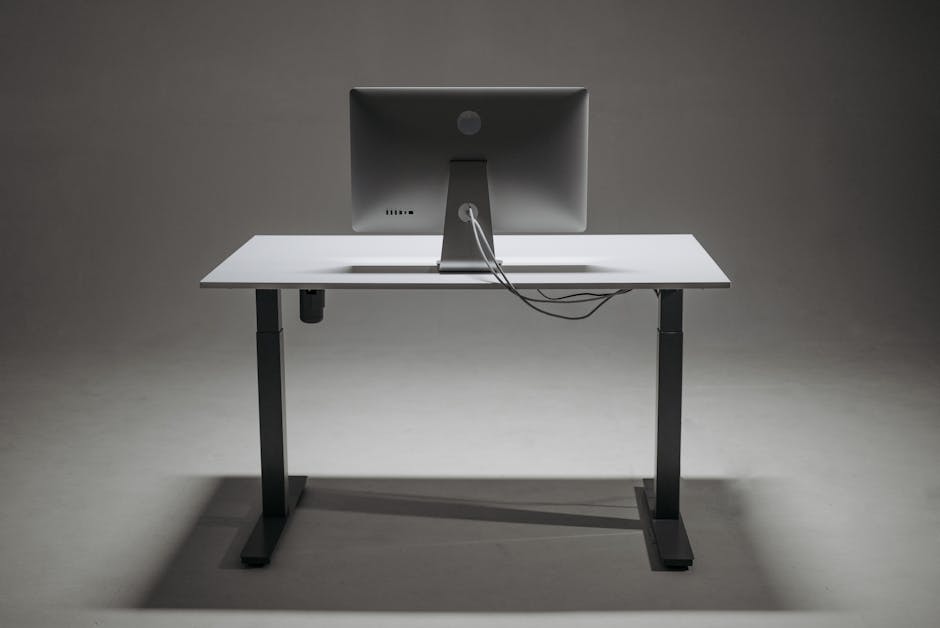
If you've recently invested in a standing desk, you've already taken a major step toward better ergonomics and productivity. But here's what most people don't realize: a standing desk creates unique cable management challenges that traditional office setups don't face. When you're raising and lowering your desk multiple times a day, messy cables can snag, break, or create a distracting visual chaos that actually undermines the focus benefits you're after.
Fellowes Cable Management Spine: This is the standing desk cable solution we recommend most often, and for good reason. It's a flexible, snake-like spine that adheres to the underside of your desk and creates a continuous channel for cables to run through. What makes it perfect for standing desks specifically is that it flexes with your desktop as it moves up and down—no binding, no snapping. The adhesive backing is strong enough to hold securely but won't damage your desk surface, and you can route cables through it in any configuration you need. At around $30, it's also genuinely affordable compared to other desk accessories that claim to solve this problem.
Look for cable management solutions with adhesive backing or clamps that can accommodate multiple cable sizes, so you can organize power cords, USB cables, and monitor connections without having to drill holes or damage your desk surface. Check that any under-desk cable trays or clips leave enough clearance for your legs and don't interfere with the desk's height adjustment mechanism if you're using an electric standing desk.
Standing desk cables face constant stress that static desks never experience. Every time you raise or lower your desk, your cables are bending, stretching, and moving. Without proper management, this repeated motion causes cables to fray, connections to loosen, and eventually fail. A quality cable management system acts as a buffer, reducing strain on your actual cables and keeping them organized so you can safely move your desk without anxiety about what's happening underneath.
Beyond the practical durability benefits, cable management directly impacts your mental space when working. Visual clutter—especially visible cables snaking everywhere—creates low-level cognitive load that drains focus and makes your workspace feel chaotic, even if you can't consciously articulate why. When you solve cable management, you're not just protecting your equipment; you're reclaiming mental clarity and making your standing desk setup feel intentional and professional instead of improvised.
The right cable management system is one of those invisible productivity wins—you don't notice it until it's missing, and then you can't imagine going back. Spend 30 minutes setting this
The most effective options are cable trays that mount under your desk surface, adhesive cable clips for organizing wires along the desk leg, and cable sleeves that bundle multiple cords together. For standing desks specifically, choose flexible solutions like clips or sleeves rather than rigid conduit, since the height adjustment requires cables to move freely. Yes, even for home offices cable management prevents tripping hazards, protects cables from damage during desk height adjustments, and makes equipment swaps or troubleshooting significantly easier. It also reduces desk clutter and creates a more professional video call background. Most remote workers have 5-8 active cables (monitor, keyboard, mouse, laptop charger, webcam, speakers, phone charger). Choose a tray or clip system rated for at least 10-12 cables to give yourself room for future additions without overcrowding. Yes, high-quality adhesive clips designed for cable management are safe and can handle the constant movement of adjustable desks. The key is ensuring the adhesive is rated for repeated stress and applied to clean, dry surfaces—avoid cheap clips that lose grip over time.Frequently Asked Questions
What cable management accessories work best with standing desks?
Do I need cable management if I work from home?
How many cables do standing desk organizers need to hold?
Are adhesive cable clips safe on standing desks that move?
As an Amazon Associate I earn from qualifying purchases.
← Back to All Reviews| Retailer | Price Range | Shipping | Link |
|---|---|---|---|
| Amazon | Check Current Price | Free (Prime) | View on Amazon → |
| Walmart | Check Site | Free over $35 | Search → |
| Target | Check Site | Free over $35 | Search → |
Prices may vary. Click through to each retailer for current pricing.