Photo: Pavel Danilyuk / Pexels
Remote work is the practice of working at or from one's home or another space rather than from an office or workplace.
Remote work has made home office setup a genuine health investment, not just a convenience. But the market offers competing approaches: do you prioritize a complete furniture overhaul with standing desks and specialized chairs, or strategically layer in targeted accessories to your existing workspace?
When comparing ergonomic solutions, prioritize investing in a quality chair and desk base first, as these foundational pieces have the greatest impact on posture and long-term spinal health, then add targeted accessories like monitor arms and footrests based on specific pain points rather than buying everything at once.
This guide cuts through the noise by comparing the two dominant strategies remote workers face in 2026. We'll examine standing desks, ergonomic chairs, and complementary accessories as distinct options—not as parts of a single "buy everything" bundle—so you can prioritize based on your budget, space, and specific pain points.
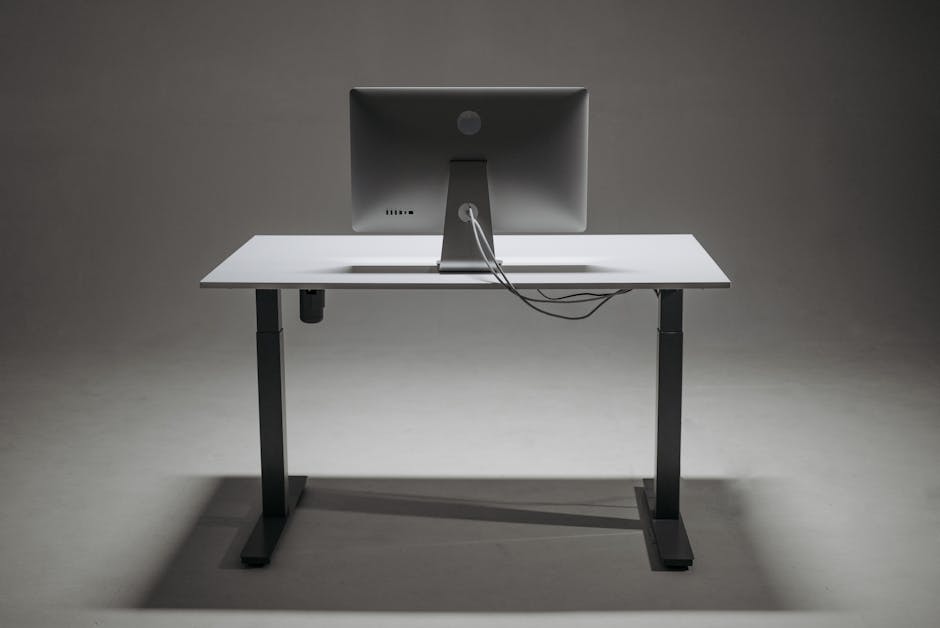
Standing desks form the foundation of dynamic workspace design, allowing remote workers to alternate between sitting and standing throughout the day. Models like Sunaofe's sit-stand offerings feature adjustable height mechanisms designed to reduce risks associated with prolonged sitting, including poor circulation and postural strain. The key appeal: movement built into your workday without leaving your desk.
Best for: Remote workers with back or circulation concerns; those willing to invest $400+ upfront for a long-term health solution; professionals with dedicated home office space
Ergonomic chairs prioritize spinal alignment through adjustable lumbar support and customizable height features. Unlike standard office chairs, these are engineered to match individual body measurements and desk heights, reducing neck strain and lower-back pain during 8+ hour workdays. The trade-off: they require proper setup and won't fix a poorly positioned desk or monitor.
Best for: Remote workers with existing back pain or posture issues; those who sit for the entire workday; people who need a single, high-impact upgrade
Accessories address specific ergonomic gaps without replacing core furniture. Monitor arms adjust screen height to eye level, keyboard trays maintain wrist neutrality, and task lighting reduces eye strain. These solutions are modular—you add them to existing desks and chairs—and typically cost $50–$200 per item, making them accessible for budget-conscious setups or renters.
Best for: Remote workers with limited budgets or rental restrictions; those targeting a specific pain point (neck strain, wrist pain, eye fatigue); professionals gradually upgrading their workspace
Factory-direct providers like Sunaofe market integrated systems combining standing desks, chairs, and accessories as coordinated setups with average order values around $400+. The appeal: cohesive design and simplified decision-making. The catch: bundled pricing assumes you need every component, and mismatches between individual body types and "complete systems" are common.
Best for: Remote workers building a home office from scratch; those prioritizing aesthetic consistency; professionals who want one vendor managing quality and support
The choice between furniture and accessories depends on your constraints and pain profile. If you have chronic back or neck pain and a dedicated workspace: invest in a quality ergonomic chair paired with a standing desk, even if that means a single large purchase. The 8+ hours daily you spend seated justifies the $400+ upfront cost, and the health ROI compounds over years.
If you're budget-conscious, renting, or just starting remote work: begin with targeted accessories—a monitor arm to elevate your screen and task lighting to reduce eye strain are $150–$200 and work with whatever desk you have. Upgrade to a chair or standing desk once you've identified your specific discomfort.
If you're buying a gift for someone without knowing their exact pain points or space: avoid bundled systems. Instead, pair a mid-range ergonomic chair (customizable to any desk height) with a monitor arm or lighting—this covers the most common issues and leaves room for personal choice. Factory-direct providers like Sunaofe offer solid entry points at reasonable pricing, but compare return policies carefully since ergonomic comfort is highly individual.
A monitor arm. Poor monitor positioning strains the neck more than almost any other factor, and a quality adjustable arm ($80–$150) fixes this across any desk setup. Pair it with an inexpensive lumbar support pillow for your existing chair.
Both are worth investing in, but they solve different problems. An ergonomic chair supports your spine during sitting; a standing desk reduces the total time you sit. For maximum health benefit, combine them if budget allows. If choosing one, a standing desk has broader health benefits (circulation, posture variation), but a good chair is more immediately comfortable.
Start by identifying your specific pain point: neck strain (monitor arm), lower back pain (ergonomic chair), wrist pain (keyboard tray), eye fatigue (task lighting). Buy one targeted accessory first. If problems persist after correct setup, upgrade to furniture like a chair or standing desk.
Build quality, long-term durability, and return policies matter more than brand recognition. Ergonomic comfort is highly individual—what works for a colleague may not suit your body type. Prioritize brands offering 30–60 day returns and adjustable/customizable features (lumbar height, seat depth, armrest width).
Yes, but only if installed and adjusted correctly. A standing desk won't help if your monitor stays low, and an ergonomic chair won't help if your desk height forces you to hunch. Treat ergonomics as a system: desk height, chair adjustments, monitor position, and keyboard placement all matter together.
Found this helpful? Share it!
Our team reviews ergonomic furniture, desk accessories, and productivity tools so you don't have to. Every recommendation is based on real research: customer reviews, expert opinions, and value for money. Learn more about us →
This post contains affiliate links. We may earn a commission if you purchase through our links at no extra cost to you.
← Back to Best Home Office Picks Daily| Retailer | Price Range | Shipping | Link |
|---|---|---|---|
| Amazon | Check Current Price | Free (Prime) | View on Amazon → |
| Walmart | Check Site | Free over $35 | Search → |
| Target | Check Site | Free over $35 | Search → |
Prices may vary. Click through to each retailer for current pricing.