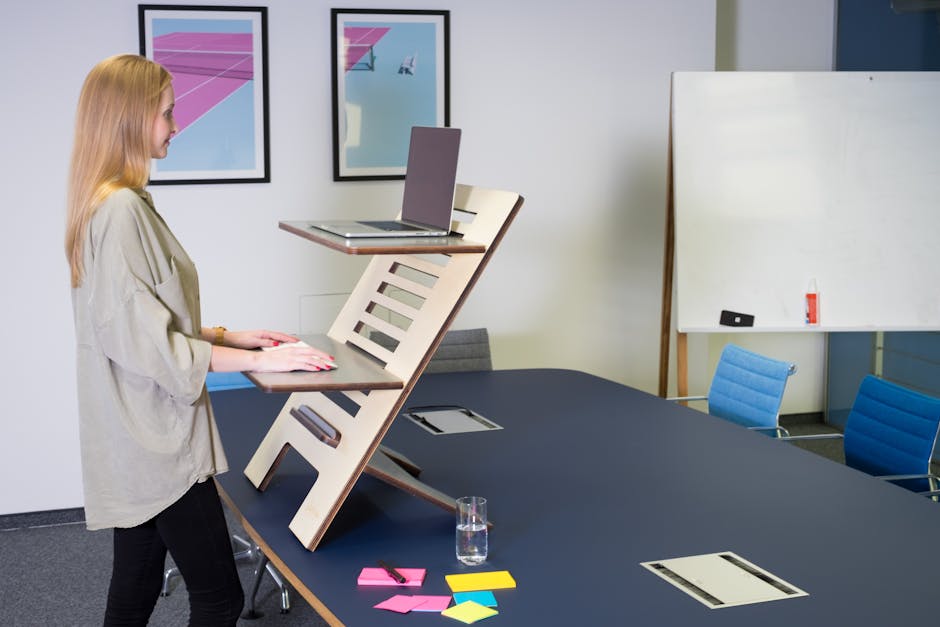
Photo: Standsome Worklifestyle / Pexels
Remote work is the practice of working at or from one's home or another space rather than from an office or workplace.
Found this helpful? Share it!
Our team reviews ergonomic furniture, desk accessories, and productivity tools so you don't have to. Every recommendation is based on real research: customer reviews, expert opinions, and value for money. Learn more about us →
Back pain is one of the most common complaints among work-from-home professionals, and many discover that their traditional desk setup is actually making it worse. If you're experiencing discomfort during your workday, switching to an ergonomic standing desk can be transformative—but only if it's set up correctly. This guide will walk you through creating a standing desk environment that actually relieves back pain rather than just shifting the problem around.
The FlexiSpot E7 Electric Standing Desk is specifically designed for users dealing with back pain. It features dual motors that provide smooth, quiet height adjustment from 28" to 47.6", allowing you to find your perfect sitting and standing heights for neutral spine alignment. The four preset buttons mean you can save your ideal sitting position and standing position—eliminating the friction that prevents most people from actually switching positions regularly. With a maximum load capacity of 355 pounds and a 55-inch-wide surface, it's stable enough for multiple monitors and ergonomic accessories without flex or wobble. The desk also includes a reminder function that gently prompts you to change positions, which research shows is critical for preventing back pain from either excessive sitting or standing.
"When setting up your standing desk, position your monitor at eye level 20-26 inches away and keep your elbows at a 90-degree angle to prevent forward slouching, which is a primary cause of lower back strain in remote workers. Alternating between sitting and standing every 30-45 minutes, combined with an anti-fatigue mat and lumbar support cushion, creates the optimal environment for spinal alignment and sustained productivity throughout your workday."
Back pain typically stems from one of two problems: either prolonged sitting that compresses your discs and weakens your core, or prolonged standing that fatigues your lower back muscles. A properly configured adjustable standing desk solves both by enabling you to alternate positions throughout the day. When you sit, your setup should maintain the natural S-curve of your spine; when you stand, your legs and core should share the load. The FlexiSpot E7 makes this switching effortless because the preset buttons mean you're not fumbling with manual adjustments—you simply touch a button and your desk moves to your pre-programmed height. This removes the biggest barrier to position-switching: inconvenience.
Additionally, the stability of this dual-motor desk is critical for back pain sufferers. A wobbly desk forces your postural muscles to engage in constant micro-corrections, which is exhausting and aggravates existing back pain. The smooth, controlled motor operation of quality standing desks like the E7 also allows you to use gentle movement throughout your day—shifting your weight, making small height adjustments—which improves circulation and prevents the stiffness that comes from holding one position rigidly.
Your standing desk should be set so your elbows are at a 90-degree angle when your arms hang naturally at your sides. Your monitor should be at eye level when you're standing upright, about 20-26 inches away from your face. This positioning keeps your spine neutral and prevents slouching that aggravates back pain.
Alternate between sitting and standing every 30-60 minutes to avoid fatigue and strain on your lower back. A common rule is the 20-8-2 method: work for 20 minutes, stand for 8 minutes, and move around for 2 minutes. The key is movement variation rather than staying in one position too long, which causes muscle tension and pain.
Invest in an anti-fatigue mat to reduce pressure on your feet and lower back, a monitor arm to position your screen at eye level, and a keyboard/mouse set that keeps your wrists straight. An adjustable footrest can also help reduce strain on your lower back by allowing you to shift weight between feet while standing.
A standing desk is only one part of back pain relief; proper posture, regular movement, and strengthening exercises are equally important. You should also consider adding stretching breaks every hour, maintaining good core strength, and ensuring your entire workstation is ergonomic—including your chair for when you sit.
As an Amazon Associate I earn from qualifying purchases.
← Back to All Reviews| Retailer | Price Range | Shipping | Link |
|---|---|---|---|
| Amazon | Check Current Price | Free (Prime) | View on Amazon → |
| Walmart | Check Site | Free over $35 | Search → |
| Target | Check Site | Free over $35 | Search → |
Prices may vary. Click through to each retailer for current pricing.
Video results for: How To Set Up An Ergonomic Standing Desk For Back Pain Relief While Working From Home (2026)