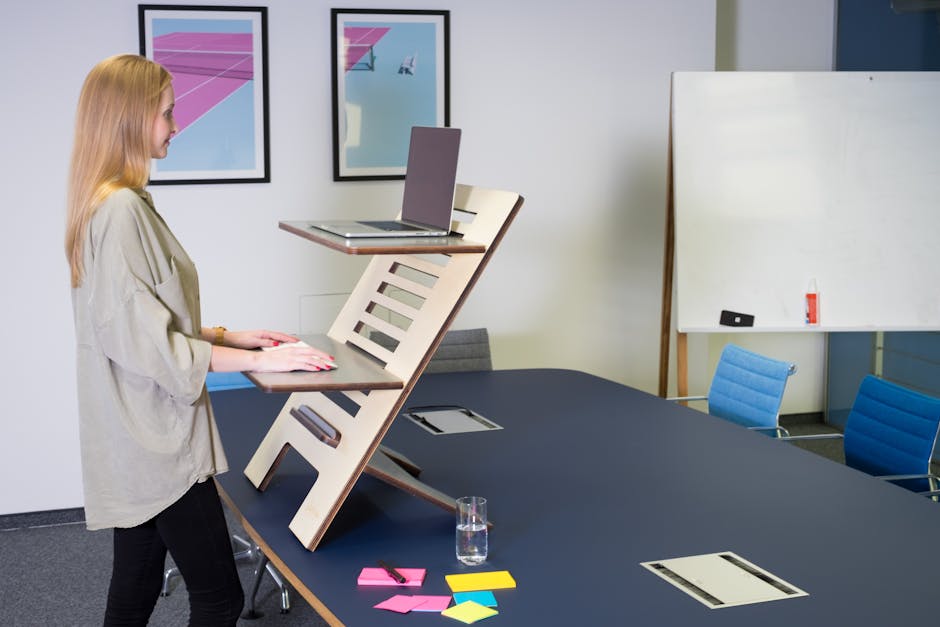
Photo: Standsome Worklifestyle / Pexels
Remote work is the practice of working at or from one's home or another space rather than from an office or workplace.
Found this helpful? Share it!
Our team reviews ergonomic furniture, desk accessories, and productivity tools so you don't have to. Every recommendation is based on real research: customer reviews, expert opinions, and value for money. Learn more about us →
When selecting a standing desk, ensure the desktop surface is wide and deep enough to accommodate your monitor at arm's length away, keyboard, mouse, and any other frequently used items without cluttering your workspace. This prevents you from hunching forward or reaching awkwardly, which defeats the purpose of proper ergonomic setup.
If you're spending eight or more hours a day at your desk, the difference between a poorly set up workspace and an ergonomic one can mean the difference between ending your day energized or exhausted. Standing desks have become increasingly popular for remote workers, but simply owning one isn't enough—how you set it up determines whether you'll actually experience the health and productivity benefits or end up with back pain and fatigue. This guide will walk you through creating a standing desk workspace that genuinely supports your body throughout the entire workday.
The Flexispot E7 Pro Standing Desk is our recommendation for all-day comfort because it solves the specific challenges of transitional workspaces. With dual motors, it adjusts smoothly across a 22-to-48-inch range in roughly 6 seconds—fast enough that you'll actually use it. The 60-inch by 30-inch desktop provides ample space for a dual-monitor setup, keyboard, and accessories without feeling cramped when you're standing. More importantly, it comes with preset buttons that let you save your perfect sitting height, standing height, and even an intermediate position, removing any decision-making from the equation. The stable frame won't wobble during video calls or when you're leaning forward to concentrate, and at a mid-range price point, it delivers premium stability without the luxury brand markup.
All-day desk work is fundamentally different from occasional standing—your body experiences cumulative strain that compounds throughout the day. A desk that's difficult to adjust won't get used for position changes, which means you'll inevitably slip into eight straight hours of standing or sitting, defeating the entire purpose. The Flexispot E7 Pro removes this friction with one-touch height presets. You can stand for 45 minutes, hit a button, and be perfectly seated in two seconds without measuring anything or making adjustments. This ease of transition is what actually drives behavior change—studies show workers who switch positions every 30-45 minutes report significantly less back pain and maintain better focus, but only if switching is effortless.
The desk's stability also matters more than you might think during a full workday. A wobbly desk creates constant micro-adjustments in your core and shoulder muscles as you unconsciously brace against the movement. After eight hours, this results in the same fatigue you'd feel from standing on an unstable surface. The Flexispot's dual-motor system and reinforced frame eliminate this entirely, letting your muscles work only when intentionally engaging with your work rather than constantly stabilizing. Combined with a quality anti-fatigue mat, an ergonomic chair for sitting periods, and a monitor arm that adjusts height with your desk position, this setup addresses the root causes of standing desk discomfort rather than just checking a box for "having a standing desk."
Your standing desk should be adjusted so your elbows are at a 90-degree angle when your arms rest naturally at your sides. Your monitor should be positioned at eye level, about an arm's length away, to prevent neck strain. Most people find the ideal standing desk height ranges from 28-48 inches, depending on their height.
Yes, an anti-fatigue mat is highly recommended for standing desk setups as it reduces strain on your feet, legs, and lower back by providing cushioning and encouraging subtle movement. Studies show that using a quality anti-fatigue mat can reduce fatigue by up to 50% during long standing periods. Look for mats at least 3/4 inch thick with a slightly textured surface for optimal support.
Absolutely—the best practice is to alternate between sitting and standing rather than standing all day, as continuous standing can also cause discomfort and strain. A common recommendation is the 30-30-30 rule: 30 minutes sitting, 30 minutes standing, and 30 minutes doing lighter tasks like walking or stretching. Start by standing for 20-30 minute intervals and gradually increase as your body adapts.
Beyond a desk and chair, invest in a monitor arm (to eliminate neck strain), a keyboard tray or ergonomic keyboard, a vertical mouse, and a footrest for postural support. A desk converter or adjustable standing desk extension allows you to test standing before committing to a full desk upgrade. These accessories typically cost $100-300 combined and significantly improve comfort and productivity.
As an Amazon Associate I earn from qualifying purchases.
← Back to All Reviews| Retailer | Price Range | Shipping | Link |
|---|---|---|---|
| Amazon | Check Current Price | Free (Prime) | View on Amazon → |
| Walmart | Check Site | Free over $35 | Search → |
| Target | Check Site | Free over $35 | Search → |
Prices may vary. Click through to each retailer for current pricing.