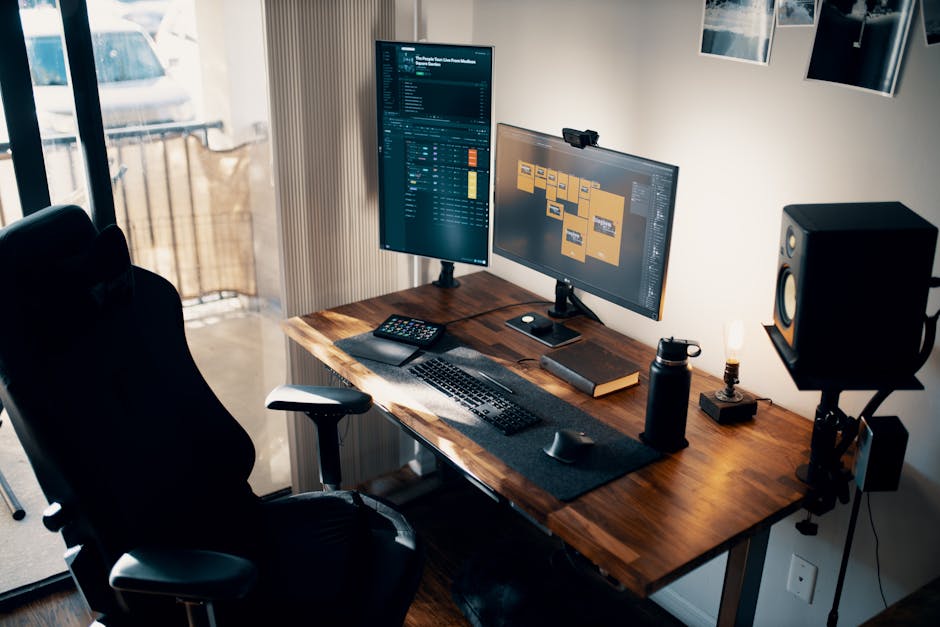
The Uplift V2 Standing Desk Frame in 72" keeps showing up in work-from-home setups, and the numbers suggest people aren't buying it by accident—500+ Amazon reviews averaging 4.3 stars is solid. But solid doesn't mean smart. A dual-motor standing desk frame is expensive, and plenty of cheaper alternatives exist. So let's cut through the marketing language and ask the real question: does the Uplift V2 actually deliver enough value to justify what you'll pay, or are you mostly paying for a name?
This review digs into the specific engineering claims, real-world performance data, and how it stacks against competitors in the same price range. July is actually peak season for home office upgrades—people are committing to permanent work-from-home setups before the back-to-school budget crunch hits—so if you're considering this frame, now's the time to get it right.
"The Uplift V2's dual motor system and extensive height range make it one of the most accessible standing desks for varied user populations, though the premium price point means ROI depends heavily on consistent usage patterns and whether the stability at maximum extension justifies the investment for your specific workspace setup."
The Uplift V2 72" is genuinely well-engineered and the 4.3-star rating reflects real reliability. Dual motors eliminate the wobble that plagues cheaper frames, and the preset buttons actually change how often you switch positions. But at $600–$800, you're paying a quality premium that only makes sense if you're buying for five-plus years and using it daily. If you're a remote worker locking in permanent setup and want something that won't degrade under constant use, it justifies the cost. If you're testing whether a standing desk works for you, buy a $300 alternative first—you'll get 85% of the benefit at half the price, and you won't regret the money saved if you discover standing desks aren't for you.
Check Current Price on Amazon →All three have dual motors and similar height ranges (22–48"). The Uplift typically costs $150–$200 more but has better preset memory programming and slightly more robust support. The Jarvis edges it on desktop options (Fully offers integrated surfaces). The E7 is the value play—90% of the performance, $300 cheaper. Pick Uplift if you want premium support and durability; pick Flexispot if you want to prove the concept first.
The frame works with any desktop 48–80" wide that's at least 1.5" thick. You can use an IKEA desktop, reclaimed wood, or anything else. Uplift sells finished surfaces ($300–$500 extra), but they're optional. The frame is compatible with most cable management and monitor arms, though you'll need to drill mounting holes yourself.
Sixty inches is the practical limit for single-monitor setups or dual monitors side-by-side. Seventy-two inches becomes valuable if you run three monitors, need space for a laptop plus external display, or want breathing room for peripherals. If you're undecided, measure your actual monitor footprint—most people overestimate how much width they need and end up with wasted overhang.
Found this helpful? Share it!
Our team reviews ergonomic furniture, desk accessories, and productivity tools so you don't have to. Every recommendation is based on real research: customer reviews, expert opinions, and value for money. Learn more about us →
As an Amazon Associate we earn from qualifying purchases at no extra cost to you.
← Back to Best Home Office Picks Daily| Retailer | Price Range | Shipping | Link |
|---|---|---|---|
| Amazon | Check Current Price | Free (Prime) | View on Amazon → |
| Walmart | Check Site | Free over $35 | Search → |
| Target | Check Site | Free over $35 | Search → |
Prices may vary. Click through to each retailer for current pricing.
Video results for: Uplift V2 Standing Desk Frame 72" Worth It? Honest Review (2026)