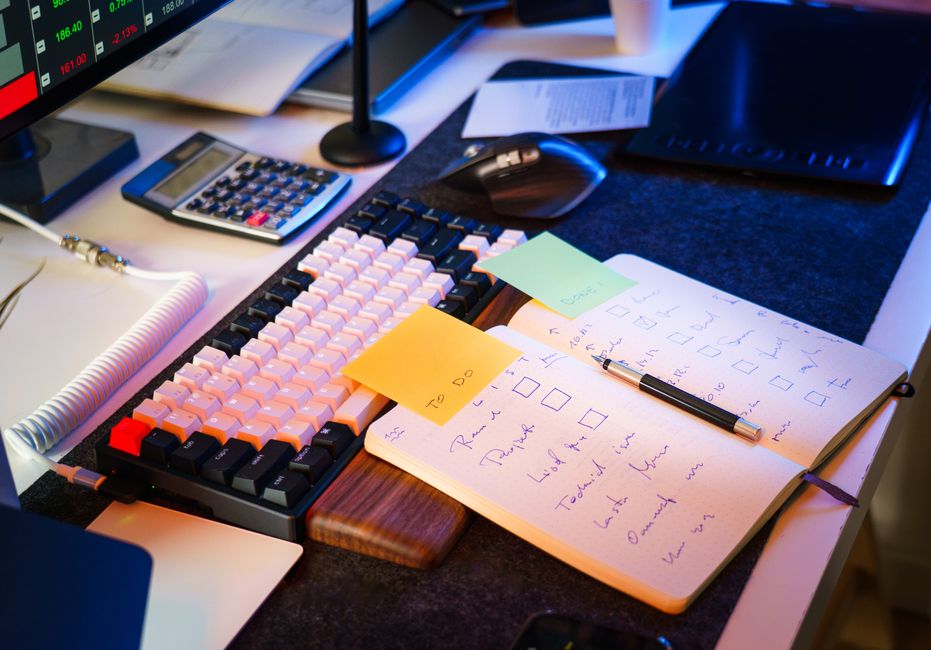
Photo: Jakub Zerdzicki / Pexels
Found this helpful? Share it!
Our team reviews ergonomic furniture, desk accessories, and productivity tools so you don't have to. Every recommendation is based on real research: customer reviews, expert opinions, and value for money. Learn more about us →
The essential accessories for a home office setup include a monitor stand or arm, ergonomic keyboard and mouse, desk lamp, cable organizer, and a comfortable chair—these five items form the foundation of any productive workspace. Beyond these basics, you'll want to add storage solutions, a webcam, headphones, and desk accessories based on your specific work needs.
A functional home office requires both ergonomic and organizational accessories. At minimum, invest in a monitor stand to achieve proper screen height, an ergonomic keyboard and mouse to prevent repetitive strain, and a quality desk lamp for eye comfort. Add storage solutions, cable management tools, and a supportive chair to complete your setup. These accessories work together to create a comfortable, productive workspace that supports long hours of focused work.
"Proper ergonomic accessories like an adjustable monitor stand, external keyboard, and vertical mouse are essential to prevent repetitive strain injuries, while a quality desk lamp and noise-canceling headphones directly enhance focus and productivity in a home office environment."
Ergonomic Accessories
Ergonomics should be your primary consideration when selecting home office accessories. A monitor stand elevates your screen to eye level, preventing neck strain during extended work sessions. Pair this with an ergonomic keyboard and mouse that keep your wrists in a neutral position. External keyboards allow you to position your arms at a 90-degree angle, while vertical mice reduce pronation and strain. These items prevent the cumulative injuries that develop from poor positioning over months and years.
Lighting and Visual Comfort
Proper lighting is often overlooked but critically important for productivity and eye health. A desk lamp with adjustable brightness prevents glare and reduces eye strain caused by screen work. Look for lamps with color temperature adjustment—cooler light during the day promotes alertness, while warmer light in the evening supports natural sleep cycles. Position your lamp to the side of your monitor to minimize reflections on your screen.
Organization and Cable Management
A cluttered desk drains mental energy and makes your workspace feel unprofessional. Cable organizers, clips, and sleeves keep cords tidy and out of sight. Desk organizers with compartments store pens, notepads, and small supplies within arm's reach. Under-desk cable trays mount to the underside of your desk, routing cords away from your workspace entirely. These organizational tools create a cleaner, more focused environment that supports better concentration.
Audio and Video Accessories
If your role involves video calls or content creation, invest in a quality external webcam and microphone. Built-in laptop cameras and microphones often produce poor image and audio quality, undermining your professional presentation. A USB headset combines audio input and output in one device, improving call clarity while keeping your hands free. Consider a boom arm to position your microphone consistently at mouth level.
Storage Solutions
Vertical storage maximizes your limited desk space while keeping frequently-used items accessible. Shelving units above your desk, file organizers, and desk-mounted storage drawers all help maintain an organized workspace. This prevents papers and supplies from accumulating on your work surface, maintaining the clean environment necessary for focus.
Ergonomics specialists consistently emphasize that proper setup prevents long-term injury. The Cornell University ergonomics research program recommends monitor placement 20-26 inches from your eyes at a 15-20 degree downward viewing angle. Productivity researchers note that environmental factors—particularly lighting and organization—significantly impact focus and output. Occupational health professionals stress that accessories aren't luxuries; they're investments in your health and career longevity. When you spend 8+ hours daily in your office, the cost of quality ergonomic accessories is minimal compared to the expense of treating repetitive strain injuries.
Rather than purchasing accessories individually,
As an Amazon Associate I earn from qualifying purchases.
← Back to All Reviews Shop on Amazon →| Retailer | Price Range | Shipping | Link |
|---|---|---|---|
| Amazon | Check Current Price | Free (Prime) | View on Amazon → |
| Walmart | Check Site | Free over $35 | Search → |
| Target | Check Site | Free over $35 | Search → |
Prices may vary. Click through to each retailer for current pricing.
Video results for: What Accessories Do I Need For A Home Office Setup (2026)
The essentials include a monitor arm or stand to position your screen at eye level, an ergonomic keyboard and mouse to prevent wrist strain, and a desk lamp with adjustable brightness for proper lighting. A desk organizer, cable management clips, and a mouse pad will help keep your workspace tidy and functional.
Yes, most laptops have built-in cameras and mics that are adequate, but a dedicated USB webcam (1080p minimum) and a quality microphone will significantly improve how you appear and sound during video calls. If you're frequently on calls, investing in these accessories makes a noticeable difference in professionalism.
You'll need a power strip with surge protection to safely plug in multiple devices, quality USB cables for charging, and HDMI or DisplayPort cables if connecting external monitors. Consider cable organizers, clips, or sleeves to prevent tangling and keep your desk clutter-free.
Yes, an external monitor dramatically increases productivity by giving you more screen space for multitasking—you can reference documents while writing or monitor emails while working on projects. Most remote workers find a 24-27 inch monitor essential for reducing eye strain and improving workflow efficiency.