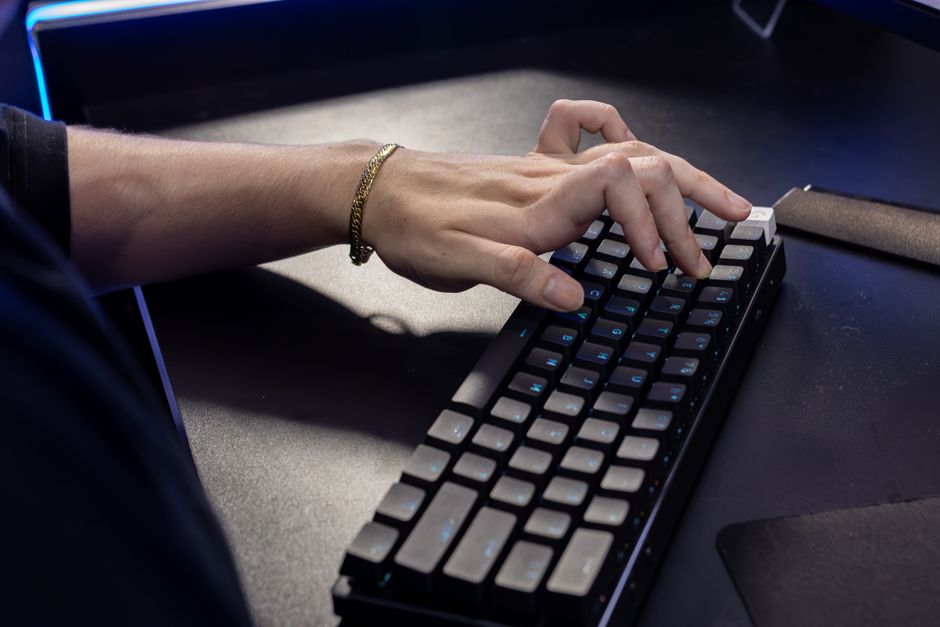
Photo: Matheus Bertelli / Pexels
Remote work is the practice of working at or from one's home or another space rather than from an office or workplace.
Found this helpful? Share it!
Our team reviews ergonomic furniture, desk accessories, and productivity tools so you don't have to. Every recommendation is based on real research: customer reviews, expert opinions, and value for money. Learn more about us →
When selecting an ergonomic wrist support or keyboard, measure your wrist circumference and test the product at the correct desk height (typically 28-30 inches) to ensure your forearms remain parallel to the ground and your wrists stay in a neutral, straight position rather than bent up or down. Prioritize adjustable or customizable options over one-size-fits-all accessories, since wrist pain often stems from individual variations in arm length, hand size, and typing habits that fixed products may not address.
The most effective ergonomic accessories for reducing wrist pain while typing include wrist rests, ergonomic keyboards, vertical mice, and mouse pads with wrist support. These accessories work together to maintain proper wrist alignment, reduce strain on tendons and nerves, and distribute pressure more evenly across your hands and forearms.
Wrist pain while typing typically stems from poor positioning and repetitive strain. The primary accessories that address this are: ergonomic keyboards that position your hands at a neutral angle, wrist rests that support your palms during typing and mousing, vertical or contoured mice that reduce forearm rotation, and padded mouse pads with wrist support. When used together as part of a complete ergonomic setup, these accessories can significantly reduce or eliminate typing-related wrist pain for most users.
Wrist Rests and Keyboard Pads
Wrist rests are among the most popular and affordable solutions for wrist pain. These cushioned supports position your wrists in a neutral alignment while typing, preventing them from bending upward or downward—positions that create strain on the median nerve and flexor tendons. Quality wrist rests are typically made from memory foam or gel materials that provide firm yet comfortable support throughout your workday.
Ergonomic Keyboards
Standard flat keyboards force your hands into an unnatural pronated position (palms facing down). Ergonomic keyboards address this by featuring a split or curved design that allows each hand to rest in a more neutral position. Some include built-in wrist rests, while others have a gentle tilt that reduces the angle your wrists must bend to reach the keys. Mechanical ergonomic keyboards with proper key switches also reduce the force needed to register keystrokes, further decreasing strain.
Vertical and Contoured Mice
Traditional computer mice force your forearm into an internally rotated position, which creates tension that radiates up through your wrist and arm. Vertical mice and contoured ergonomic mice position your hand in a more neutral handshake position, reducing this rotational stress. This is particularly important since mousing often involves sustained gripping and precise movements that can aggravate wrist pain more than typing alone.
Mouse Pads with Wrist Support
An ergonomic mouse pad with integrated wrist support extends the comfort benefits of your keyboard wrist rest to your mousing hand. These pads elevate and support your wrist at the proper height while using your mouse, preventing the common habit of resting your wrist on the desk edge—a position that compresses nerves and blood vessels in your wrist.
Monitor and Keyboard Positioning
While not an accessory per se, proper desk setup amplifies the effectiveness of ergonomic accessories. Your keyboard should be positioned at elbow height with your elbows at 90 degrees, and your monitor should be at eye level. When paired with these positioning principles, wrist support accessories work much more effectively because they're supporting wrists that are already in better alignment.
The American Academy of Orthopaedic Surgeons and the Occupational Safety and Health Administration (OSHA) both recommend ergonomic accessories as part of a comprehensive injury prevention strategy. Physical therapists emphasize that wrist pain is rarely caused by a single factor—it's usually the combination of poor positioning, inadequate breaks, and repetitive motion. Therefore, the most effective approach combines multiple accessories (keyboard, mouse, wrist rests
As an Amazon Associate I earn from qualifying purchases.
← Back to All Reviews Shop on Amazon →| Retailer | Price Range | Shipping | Link |
|---|---|---|---|
| Amazon | Check Current Price | Free (Prime) | View on Amazon → |
| Walmart | Check Site | Free over $35 | Search → |
| Target | Check Site | Free over $35 | Search → |
Prices may vary. Click through to each retailer for current pricing.
Split keyboards and ergonomic keyboards with a curved design help maintain neutral wrist alignment by allowing your hands to angle naturally rather than staying straight. Look for keyboards with negative tilt (sloping downward away from you) and wrist rests made of memory foam or gel to reduce pressure on your carpal tunnel.
Yes, wrist rest mouse pads reduce strain by supporting your wrist in a neutral position while mousing, which prevents the downward bend that causes repetitive stress injury. Choose one with firm gel or memory foam padding, and position it so your wrist stays straight and aligned with your forearm while using the mouse.
A wrist brace can provide temporary relief and remind you to maintain proper posture, but it shouldn't be your only solution since typing with a brace may limit movement and prolong recovery. Use a brace during breaks or outside of work while focusing on ergonomic setup changes (keyboard position, chair height, desk height) as the primary fix.
Your keyboard should be positioned so your elbows are at a 90-degree angle and your wrists are straight and level with your keyboard—not bent up or down. Your monitor should be at eye level and arm's length away, and your chair should support your lower back so you're not hunching forward, which increases wrist strain.