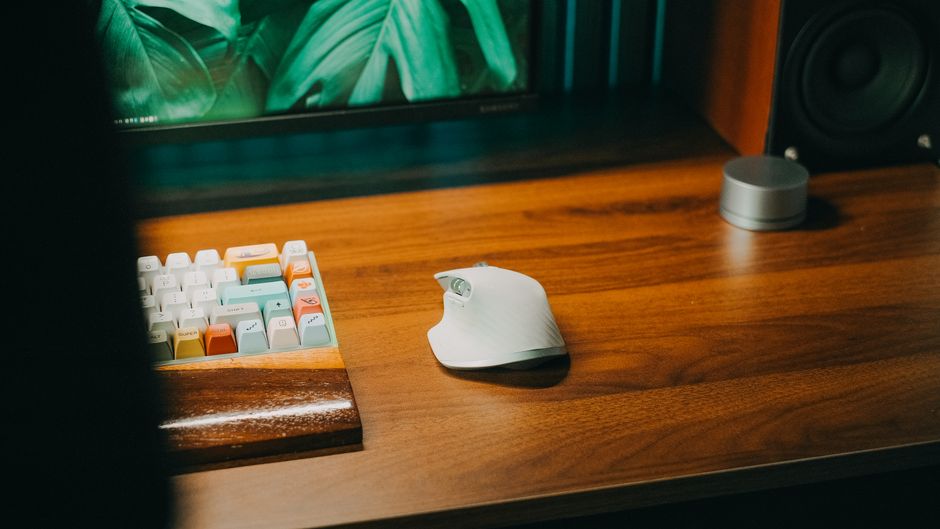
Photo: Pew Nguyen / Pexels
Remote work is the practice of working at or from one's home or another space rather than from an office or workplace.
Found this helpful? Share it!
Our team reviews ergonomic furniture, desk accessories, and productivity tools so you don't have to. Every recommendation is based on real research: customer reviews, expert opinions, and value for money. Learn more about us →
Look for a keyboard with a negative tilt or flat profile (avoid positive tilt) and choose a mouse that keeps your wrist in a neutral position rather than twisted, as these features reduce strain during long typing sessions in your home office. Test the key travel distance and actuation force before purchasing—lighter switches and moderate key travel (1.5-2mm) tend to reduce finger fatigue compared to heavy mechanical keyboards.
The best keyboard and mouse for ergonomic typing combine split or curved key layouts with contoured designs that support your wrists in a neutral position, such as the Microsoft Sculpt Ergonomic Desktop or Logitech MX Keys paired with an ergonomic mouse like the Razer Pro Click. Ergonomic input devices reduce strain on your wrists, forearms, and shoulders during extended work sessions.
An ergonomic keyboard and mouse work together to prevent repetitive strain injuries and reduce discomfort during long typing sessions. Look for keyboards with split or curved designs that keep your wrists straight, and mice with contoured shapes that support your hand's natural position. The ideal setup combines proper angles, cushioned palm rests, and designs that reduce the reach required between your keyboard and mouse. Your budget, hand size, and existing desk setup should also influence your choice.
When evaluating ergonomic keyboards and mice, several key factors distinguish the best options from standard equipment:
Keyboard Design: Ergonomic keyboards fall into three main categories. Split keyboards divide the key layout in the middle, allowing each hand to rest at a natural angle without pronation (inward twisting). Curved keyboards maintain a traditional QWERTY layout but angle the keys to match your hands' natural position. Contoured keyboards include built-in palm rests and elevated designs that keep your wrists neutral while typing.
Mouse and Trackpad Options: An ergonomic mouse should support your entire hand, not just your fingers. Vertical mice position your hand as if shaking hands, reducing forearm rotation. Contoured mice follow your hand's natural curve. Consider the placement relative to your keyboard—a mouse positioned at elbow height prevents shoulder strain and excessive reaching.
Wrist Support and Positioning: The best ergonomic setups maintain a neutral wrist position—neither bent upward (extension) nor downward (flexion). Palm rests should support your hand without forcing pressure on sensitive nerves. Your wrists should stay straight and level with your keyboard surface when typing.
Material and Comfort Features: Look for cushioned palm rests made from memory foam or gel materials. Keyboard switches should require minimal force to activate, reducing repetitive strain. Adjustable angle and tilt options allow customization based on your desk height and personal preferences.
Occupational health experts and ergonomists emphasize that keyboard and mouse choice is a critical component of injury prevention. The American Academy of Orthopaedic Surgeons recommends that keyboard users maintain neutral wrist positions and keep elbows close to the body at a 90-degree angle. Physical therapists note that switching to ergonomic input devices often provides noticeable relief within 2-3 weeks of consistent use.
Workplace ergonomic consultants stress that an ergonomic keyboard and mouse setup should be paired with proper desk height, monitor positioning, and chair support. No single product can compensate for poor overall workspace layout, but combining quality ergonomic peripherals with proper workstation design creates the most effective prevention strategy.
An Ergonomic Keyboard and Mouse Set simplifies the process of transitioning to a healthier typing setup. Pre-matched sets ensure that your keyboard height, angle, and mouse positioning work together harmoniously. These bundles typically include a keyboard with split or contoured design and a mouse engineered to support your palm and reduce wrist rotation.
Investing in a quality ergonomic set addresses multiple pain points simultaneously: wrist strain, forearm tension, shoulder discomfort, and hand fatigue. Many users report decreased typing pain
As an Amazon Associate I earn from qualifying purchases.
← Back to All Reviews Shop on Amazon →| Retailer | Price Range | Shipping | Link |
|---|---|---|---|
| Amazon | Check Current Price | Free (Prime) | View on Amazon → |
| Walmart | Check Site | Free over $35 | Search → |
| Target | Check Site | Free over $35 | Search → |
Prices may vary. Click through to each retailer for current pricing.
Look for a split or curved ergonomic keyboard with a wrist rest and mechanical switches to reduce strain, paired with a vertical or contoured mouse that keeps your wrist in a neutral position. Brands like Kinesis, Microsoft Sculpt, and Logitech MX Vertical are specifically designed to minimize repetitive strain injuries like carpal tunnel syndrome.
Mechanical keyboards are generally better for ergonomic typing because they require less force per keystroke, reducing finger fatigue over long workdays. However, they're noisier and more expensive—a quieter mechanical switch or a high-quality membrane keyboard with good key travel (2-4mm) can also work well if a split or curved design reduces wrist strain.
Buying separately allows you to find the best fit for your specific hand size and typing style, which is crucial since ergonomic needs vary widely between workers. A bundle might save money but could force you into a compromise solution that doesn't properly support your wrists—spending more on individual pieces tailored to you is worth the investment for an 8-hour workday.
Budget $100-200 for a quality ergonomic keyboard and $40-80 for a good ergonomic mouse, totaling $150-250 for a solid setup. Investing in proven brands with good return policies is smarter than buying budget options—quality ergonomic gear prevents costly medical issues and increases productivity over years of use.