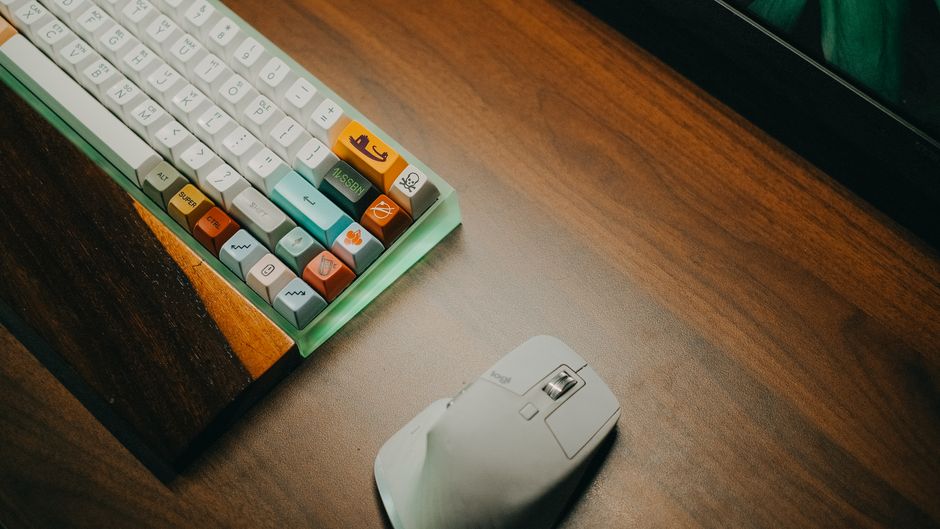
Photo: Pew Nguyen / Pexels
Remote work is the practice of working at or from one's home or another space rather than from an office or workplace.
Found this helpful? Share it!
Our team reviews ergonomic furniture, desk accessories, and productivity tools so you don't have to. Every recommendation is based on real research: customer reviews, expert opinions, and value for money. Learn more about us →
Before investing in an ergonomic keyboard, test it first if possible or ensure the return policy is generous, since proper fit depends on individual hand size, typing style, and existing desk setup—a keyboard that works perfectly for someone else may actually increase strain for you if the angle, key travel, or wrist rest height doesn't match your specific biomechanics.
Yes, ergonomic keyboards are worth it for most people who type all day, as they can significantly reduce wrist strain, improve comfort, and help prevent repetitive strain injuries like carpal tunnel syndrome. The investment in a quality ergonomic keyboard typically pays for itself through increased productivity and reduced pain or fatigue during extended work sessions.
If you spend 6+ hours daily typing, an ergonomic keyboard is a worthwhile investment. These specially designed keyboards promote a more natural wrist position, reduce pressure on your hands and forearms, and can alleviate existing pain or prevent future injury. Most ergonomic keyboards range from $50 to $200, which is minimal compared to the cost of treating repetitive strain injuries or losing productivity due to discomfort.
What Makes an Ergonomic Keyboard Different
Traditional keyboards force your hands into an unnatural position—wrists bent at awkward angles, fingers reaching at incorrect heights. Ergonomic keyboards address this through split designs, curved key layouts, negative tilt angles, and wrist rests. These features align your hands, wrists, and forearms in a more neutral position that mimics how they naturally hang at your sides.
The Health Benefits
Typing all day on a standard keyboard creates cumulative stress on your tendons, nerves, and muscles. Over time, this can lead to tendonitis, carpal tunnel syndrome, and general hand fatigue. Ergonomic keyboards reduce this strain by:
Who Benefits Most
You'll see the biggest benefit if you type 6+ hours daily, already experience wrist or hand pain, have a history of repetitive strain injuries, or work in fields like programming, writing, data entry, or customer service. Even if you're pain-free now, preventative use during full-time office work can stop problems before they start.
The Cost-Benefit Analysis
A decent ergonomic keyboard costs $60-$150. Compare this to medical costs for treating carpal tunnel (potentially $10,000+), lost productivity from pain or injury recovery, or the price of upgrading your entire workstation later. Most users report the investment pays for itself within weeks through improved comfort and reduced fatigue.
Potential Drawbacks
The adjustment period is real—it typically takes 1-3 weeks to adapt to a split or curved keyboard layout. Some people find the learning curve frustrating. Additionally, not all ergonomic keyboards are created equal; cheap models may not provide adequate support. Quality matters significantly.
The American Academy of Orthopaedic Surgeons and occupational health specialists consistently recommend ergonomic keyboards as part of a comprehensive workplace ergonomics strategy. Physical therapists treating repetitive strain injuries frequently suggest ergonomic keyboards as a primary intervention. Research published in ergonomic journals shows that split keyboard designs measurably reduce wrist deviation and improve comfort for all-day typists.
However, experts emphasize that a keyboard alone isn't a complete solution. Proper desk height, monitor position, chair support, and taking regular breaks are equally important
As an Amazon Associate I earn from qualifying purchases.
← Back to All Reviews Shop on Amazon →| Retailer | Price Range | Shipping | Link |
|---|---|---|---|
| Amazon | Check Current Price | Free (Prime) | View on Amazon → |
| Walmart | Check Site | Free over $35 | Search → |
| Target | Check Site | Free over $35 | Search → |
Prices may vary. Click through to each retailer for current pricing.
Yes, ergonomic keyboards can significantly reduce wrist strain by promoting a more neutral wrist position while typing, which decreases pressure on the median nerve. Studies show that split or curved ergonomic keyboards lower the risk of carpal tunnel syndrome and repetitive strain injuries, especially when combined with proper desk setup and regular breaks.
Quality ergonomic keyboards range from $50-$150, with mid-range options ($70-$100) offering the best value for most remote workers. Investing in a reputable brand with good reviews is more important than spending excessively, as even moderately-priced ergonomic keyboards outperform cheap flat keyboards for all-day typing.
Most people need 1-2 weeks to fully adjust to an ergonomic keyboard, during which typing speed may temporarily dip by 10-15%. However, the adjustment period is worth it since your muscle memory will adapt quickly, and you'll experience less fatigue and soreness within the first few days of use.
Ergonomic keyboards are complementary to good posture—you need both for maximum benefit, not one or the other. While proper desk setup prevents some strain, an ergonomic keyboard specifically reduces wrist extension and ulnar deviation, addressing issues that posture alone cannot fix when typing 8+ hours daily.