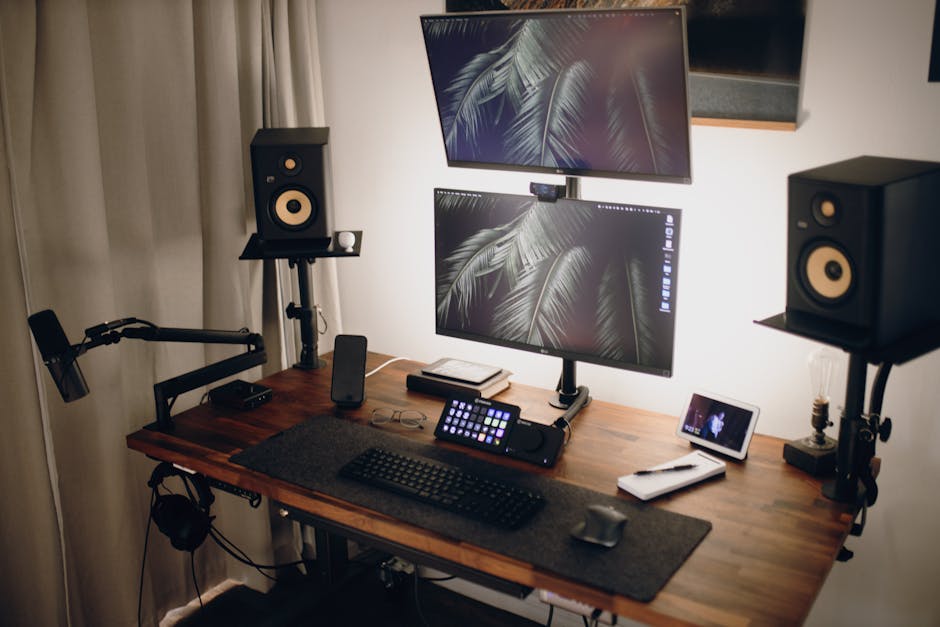
Photo: Josh Sorenson / Pexels
Remote work is the practice of working at or from one's home or another space rather than from an office or workplace.
Found this helpful? Share it!
Our team reviews ergonomic furniture, desk accessories, and productivity tools so you don't have to. Every recommendation is based on real research: customer reviews, expert opinions, and value for money. Learn more about us →
Look for a keyboard tray with independent height and tilt adjustment so you can position your keyboard at elbow height with a slight negative tilt, which reduces wrist strain during long typing sessions and directly improves both comfort and typing speed. Verify that the tray's mounting system is compatible with your specific desk model and can support the combined weight of your keyboard, mouse, and any additional accessories you plan to place on it.
If you've recently switched to a standing desk, you've probably noticed that keyboard placement can make or break your comfort—and your ability to actually get work done. A poor keyboard setup leads to wrist strain, shoulder tension, and that creeping fatigue that makes you want to abandon your standing desk by 3 PM. The right keyboard tray doesn't just solve these problems; it transforms your standing desk into a genuinely productive workspace where you can focus on your work instead of your aching wrists.
The Humanscale Keyboard System with Negative Tilt stands out as the gold standard for standing desk users who actually need to type all day. This system combines a smooth, nearly effortless adjustment mechanism with a dedicated negative tilt platform that positions your hands in the optimal neutral position—approximately 10-15 degrees below horizontal. The engineering is so refined that you can adjust it one-handed while on a call, making it genuinely practical for dynamic workdays where you're constantly switching between sitting and standing.
Standing desk users face a unique ergonomic challenge that traditional desk setups don't address: when you stand at a standard desk height, your keyboard is typically too high, forcing your shoulders up and your wrists into extension. A quality keyboard tray solves this by allowing you to keep your shoulders relaxed and your elbows at a 90-degree angle—the gold standard for keyboard work. This positioning dramatically reduces the cumulative strain on your shoulders, neck, and wrists that would otherwise build up over an 8-hour standing shift.
Beyond ergonomics, the right keyboard tray actually enhances productivity because you're no longer fighting discomfort. When your wrists aren't aching and your shoulders aren't fatigued, you can type faster, maintain focus longer, and avoid the afternoon slump that comes from poor positioning. You'll also spend less mental energy on physical adjustments and more on your actual work—which is the entire point of optimizing your standing desk setup in the first place.
Your standing desk investment deserves proper support—literally. A quality keyboard tray is one of the highest-
Yes, keyboard trays can significantly reduce wrist strain by positioning your keyboard at the correct height and angle—typically with your elbows at 90 degrees and wrists neutral. Studies show that proper ergonomic setup prevents repetitive strain injuries (RSI) like carpal tunnel syndrome, especially for remote workers typing 6+ hours daily. A monitor arm adjusts your screen height to eye level, while a keyboard tray positions your keyboard and mouse at elbow height for neutral wrist alignment. Most productivity-focused setups use both together—the monitor arm keeps your neck straight and the keyboard tray keeps your wrists and forearms aligned. Most adjustable keyboard trays work with standing desks if they clamp to your desk surface or attach to monitor arms, but standing desk-specific trays offer better stability and range of motion for frequent height changes. Look for trays with smooth adjustment mechanisms and sturdy construction since they'll move up and down multiple times daily. Quality keyboard trays range from $60-$300 depending on features like dual-monitor support and adjustability, making them one of the most affordable ergonomic upgrades. For remote workers dealing with neck, shoulder, or wrist pain, they're worth the investment—even a $100 tray prevents costly medical bills and lost productivity from injuries.Frequently Asked Questions
Do keyboard trays for standing desks actually reduce wrist pain and RSI?
What's the difference between a monitor arm and a keyboard tray for standing desks?
Can I use a regular keyboard tray with my standing desk, or do I need a special one?
How much do quality keyboard trays cost and are they worth it for remote workers?
As an Amazon Associate I earn from qualifying purchases.
← Back to All Reviews| Retailer | Price Range | Shipping | Link |
|---|---|---|---|
| Amazon | Check Current Price | Free (Prime) | View on Amazon → |
| Walmart | Check Site | Free over $35 | Search → |
| Target | Check Site | Free over $35 | Search → |
Prices may vary. Click through to each retailer for current pricing.