Photo: cottonbro studio / Pexels
Remote work is the practice of working at or from one's home or another space rather than from an office or workplace.
As remote work becomes permanent for millions, personal cooling at the desk has shifted from luxury to necessity. Traditional desk fans, evaporative cooling systems, and USB-powered solutions with cooling pads each solve the summer heat problem differently—and which one works best depends entirely on your climate, desk space, and work environment.
This guide compares three distinct cooling approaches based on actual product features, noise levels, power requirements, and real-world effectiveness. Rather than recommending a single "best" option, we'll break down where each technology excels and where it falls short.
Check the noise level and airflow specifications of evaporative coolers before purchasing, as they typically operate louder than USB fans and require regular water refilling, which may disrupt focus during video calls or concentrated work sessions. USB fans are quieter and lower-maintenance but provide less cooling power, so choose based on your office's ambient temperature and noise sensitivity rather than price alone.
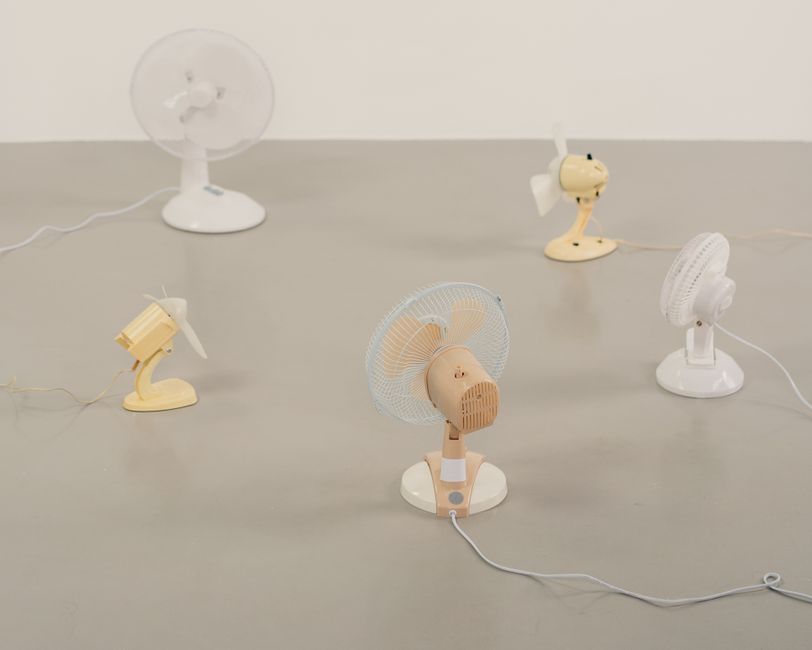
Standard desk fans move air across your workspace using rotating blades. They're the most affordable option and work immediately without setup, requiring only an electrical outlet or USB power source. However, they simply circulate existing air rather than lowering temperature—effective in naturally cooler spaces but less useful in genuinely hot environments.
Best for: Home offices with moderate temperatures or existing air conditioning that doesn't reach the desk evenly. Budget-conscious workers who need quick, zero-setup cooling.
Evaporative fans cool air by passing it through water-saturated pads, lowering the temperature of airflow by 5-15°F depending on humidity levels. Models feature adjustable water tank capacities (typically 2-4 liters), humidity sensors with auto-shutoff features, and multiple speed settings. They're more energy-efficient than AC units and humidify dry office air simultaneously.
Critical limitation: Evaporative cooling requires low ambient humidity (below 60%) to function effectively. In already-humid climates, this technology becomes ineffective or uncomfortable, making it unsuitable for coastal regions or humid summer months in many US areas.
Best for: Remote workers in dry climates (Southwest, Mountain West) or low-humidity office environments. Those seeking dual cooling and humidification with lower energy consumption than central AC.
These compact units combine a small fan with an integrated cooling pad powered by a single USB connection. They're highly portable, require minimal desk space, and draw negligible power compared to larger fans. Cooling pads can be pre-chilled or filled with cool water or gel to provide localized temperature relief directly at arm's reach.
The tradeoff: cooling radius is severely limited to an immediate 1-2 foot zone around the unit. They won't cool your entire workspace, only the immediate area where the pad sits. Noise levels should be verified (25dB or lower for focus work), as some models generate noticeable hum during operation.
Best for: Desk-bound workers who stay in one position for long periods. Those with limited desk space or offices where a larger fan isn't practical. Remote workers on calls who need silent or near-silent operation.
Choose based on your specific climate and work pattern, not brand loyalty. For dry-climate workers (Arizona, Colorado, New Mexico): Evaporative desk fans deliver genuine cooling (5-15°F reduction) plus humidification—the temperature drop is real and measurable, making them worth the water refill commitment. For humid-region workers (Southeast, Northeast, Midwest in summer): Evaporative technology fails; stick with traditional fans for air circulation or USB cooling pads for immediate desk-zone relief. For desk-bound, space-constrained offices: USB fans with cooling pads are the only practical choice, but set expectations appropriately—they cool your immediate area, not your entire workspace. For budget-first buyers: Traditional fans cost least upfront and work in any climate, though they won't lower temperature in hot environments. The worst mistake is buying an evaporative cooler in a humid climate, where it becomes a useless water tank taking up desk space. Verify your local July humidity average (ideally below 55%) before committing to evaporative technology.
Only evaporative fans deliver measurable temperature reduction (typically 5-15°F), but this only works effectively in dry climates (below 60% humidity). Traditional and USB fans merely circulate existing air without lowering temperature. If you're in a humid region, none of these are true air conditioning—they reduce perceived temperature through air movement and localized cooling only.
Traditional desk fans: 6-12 inches diameter footprint. Evaporative coolers: 8-14 inches width plus depth for 2-4 liter water tanks. USB fans with cooling pads: 4-6 inches, extremely compact. If desk space is limited, USB solutions are the only practical option.
Depends on tank capacity, ambient heat, and usage. A 2-liter tank in 95°F heat may need refilling every 3-4 hours. A 4-liter tank might last 6-8 hours. In cooler conditions (80-85°F), refilling once daily may suffice. Budget for frequent refills in peak summer months if you choose this technology.
Absolutely, if considering evaporative cooling. Check your July average humidity: if it's above 60%, evaporative fans won't work effectively. Use a free online weather history tool for your zip code. Humidity above 60% means you should choose traditional fans or USB cooling solutions instead.
Aim for 25dB or lower for uninterrupted calls and concentration. Verify the decibel rating before purchase—some USB fans and smaller evaporative models meet this threshold, while traditional desk fans often exceed 30-35dB at higher speeds, potentially disrupting calls.
No. USB cooling pads provide 1-2 foot radius coverage only. They're supplementary for the immediate desk area, not primary workspace cooling. For whole-desk or whole-room cooling, choose traditional or evaporative fans.
Found this helpful? Share it!
Our team reviews ergonomic furniture, desk accessories, and productivity tools so you don't have to. Every recommendation is based on real research: customer reviews, expert opinions, and value for money. Learn more about us →
This post contains affiliate links. We may earn a commission if you purchase through our links at no extra cost to you.
← Back to Best Home Office Picks Daily| Retailer | Price Range | Shipping | Link |
|---|---|---|---|
| Amazon | Check Current Price | Free (Prime) | View on Amazon → |
| Walmart | Check Site | Free over $35 | Search → |
| Target | Check Site | Free over $35 | Search → |
Prices may vary. Click through to each retailer for current pricing.