Photo: Alpha En / Pexels
Remote work is the practice of working at or from one's home or another space rather than from an office or workplace.
Working from home means your office setup directly impacts your focus, health, and output—but there's no single "right" way to improve it. Should you invest in an adjustable standing desk? Soundproof the walls? Overhaul your storage? The answer depends on which productivity drain is actually holding you back.
This guide compares four distinct home office improvement strategies: ergonomic optimization, decluttering and organization, acoustic treatment, and strategic furniture selection. Each addresses different problems and requires different budgets and commitment levels. By understanding the real tradeoffs, you can prioritize improvements that will have the biggest impact on your specific situation.
Before investing in ergonomic furniture or standing desks, measure your actual workspace dimensions and test the adjustability range in person if possible, since an expensive desk that doesn't fit your height or space will undermine both comfort and productivity. Prioritize items that address your most pressing pain point first—whether that's back support, cable management, or noise reduction—rather than buying everything at once, as targeted improvements often deliver better results than scattered purchases.
This approach centers on COLAMY office chairs ($200+) and adjustable standing desks with height ranges of 22–48 inches, paired with monitor arms for dynamic positioning throughout the day. The core principle: your screen should be at eye level, elbows at 90 degrees, and feet flat on the floor or footrest to prevent neck strain, shoulder tension, and lower back pain.
Requires precise measurement of your space before purchase and verification that desk height ranges actually accommodate both your seated and standing ergonomics. Smooth height adjustment mechanisms and chairs with lumbar support and seat depth controls allow you to shift your setup without disrupting workflow.
Best for: People experiencing physical discomfort (neck strain, back pain, shoulder tension) or those who've noticed afternoon productivity drops correlating with posture fatigue. Works well if your core problem is *how you sit* rather than what's around you.
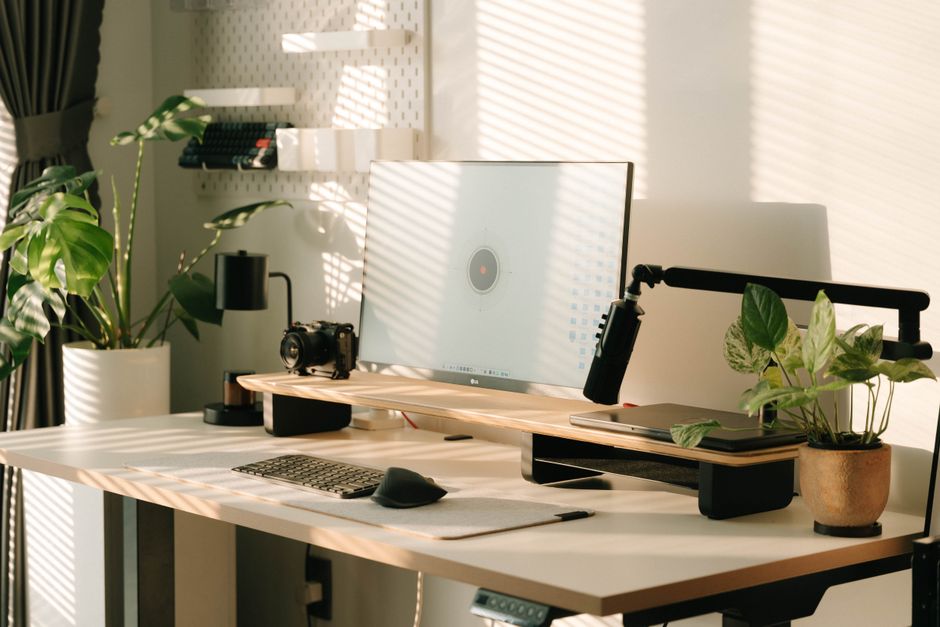
Rather than buying new furniture, this strategy eliminates unnecessary items and implements intentional storage: multi-functional accessories like wall-mounted shelving or under-desk organizers that maximize vertical space. Wall-mounted shelves, pegboards, and filing systems keep your desk surface clear while keeping everything you need within arm's reach.
Paired with cable management systems (trays, clips, sleeves) to route wires neatly behind or under your desk, this approach treats clutter itself as the productivity drain. No expensive purchases required—primarily a matter of ruthless editing and strategic arrangement into dedicated zones for different tasks (main work zone vs. reference area).
Best for: People with cluttered desks, tangled cables, and mental fatigue from visual chaos. Especially effective in small spaces where floor area is limited and vertical storage is the only option. Low-cost entry point with measurable results within hours.
Targets ambient noise through acoustic absorption materials with Noise Reduction Coefficient (NRC) ratings of 0.7 or higher. These products actively absorb sound waves rather than deflecting them. Strategic placement prioritizes acoustic panels behind your desk to target sound reflections from monitors and equipment, rather than treating the entire room—a more budget-conscious approach for compact spaces.
Includes isolation and decoupling solutions for desk setups to prevent equipment vibration from transferring to your workspace. Mass-loaded vinyl or specialized acoustic tiles provide measurable noise reduction without requiring professional installation or construction work.
Best for: People distracted by traffic, neighbors, household sounds, or equipment noise. Best results in environments where external noise is the primary focus killer. Does not address ergonomics or clutter, only acoustic environment.
A subset of ergonomic optimization focused specifically on dynamic posture. These desks offer smooth height adjustment (typically 22–48 inches) to accommodate both sitting and standing work throughout the day. The value proposition: static setups that feel comfortable at 9 AM often feel terrible by 3 PM; adjustability prevents afternoon fatigue.
Requires weight capacity verification and stability checks—wobbling surfaces during video calls or typing will undermine focus and can damage equipment. Must be paired with proper monitor positioning to actually deliver benefits.
Best for: People who experience afternoon fatigue or want to alternate between sitting and standing. Requires more floor space and initial investment ($200+) but delivers measurable comfort improvements if you currently sit all day.
Combines ergonomic furniture (adjustable desk, quality chair, monitor arm), organization (vertical storage, cable management), and strategic acoustic treatment into a cohesive system. This approach doesn't isolate individual improvements but instead coordinates them: ergonomics address physical strain, organization eliminates visual clutter and mental load, acoustics remove auditory distractions.
Requires upfront planning and measurement of actual workspace dimensions, plus testing how furniture affects movement flow between desk, storage, and door. An expensive setup that creates cramped or awkward layout will hinder productivity rather than improve it.
Best for: People building a home office from scratch or undertaking a major overhaul. Requires the largest investment but addresses multiple productivity drains simultaneously, delivering the broadest improvement in focus and output.
There's no universal "best" home office setup because productivity isn't monolithic. If you're experiencing physical discomfort, ergonomic optimization with a quality standing desk and COLAMY-level chair delivers the fastest ROI. If your workspace feels chaotic but you're physically comfortable, decluttering and vertical storage will clear mental clutter at minimal cost. If ambient noise is your primary focus killer, acoustic panels with NRC 0.7+ ratings will directly address that problem without touching ergonomics or organization.
Most home offices benefit from a combination approach: start with whichever strategy matches your biggest current pain point, then layer in the others. A cluttered desk undermines an expensive standing desk; poor ergonomics make a silent, organized office physically exhausting; great furniture in a noisy room won't improve focus. The most productive setups coordinate all three—ergonomic positioning, visual clarity through organization, and acoustic control—but you don't need to implement everything simultaneously. Measure your actual space, identify whether your productivity drain is physical discomfort, visual chaos, or auditory distraction, and prioritize accordingly.
Most adjustable standing desks offer a 22–48 inch range. Before purchasing, measure your own sitting and standing eye level to your monitor—if your desk's range doesn't accommodate both positions, it won't deliver ergonomic benefits. Your screen should be at eye level and elbows at 90 degrees in both positions.
COLAMY office chairs start at $200+, and quality standing desks are typically in the $300–800 range. However, improvements come from *correct positioning*, not brand prestige. A $200 chair with proper lumbar support will outperform a $1,000 chair positioned incorrectly. Measure first, then invest.
Prioritize products with an NRC rating of 0.7 or higher. These actively absorb sound waves rather than deflecting them. You don't need to treat your entire room; strategic placement behind your desk targeting monitor and equipment reflections delivers better results for your budget in small spaces.
Yes. A cluttered space makes it harder to assess your actual spatial needs, and new furniture in a cluttered office will just create more organizational problems. Start by eliminating unnecessary items, then implement vertical storage (wall-mounted shelves, pegboards) before purchasing additional floor furniture. This prevents the "I'll just put this here temporarily" mentality that leads to clutter buildup.
Absolutely. Decluttering and cable management cost almost nothing and deliver immediate mental clarity. Acoustic treatment can start with targeted panels behind your desk ($50–150) rather than whole-room treatment. Ergonomic gains require more investment, but proper monitor positioning (using books or affordable monitor stands) costs under $30 and prevents neck strain.
Found this helpful? Share it!
Our team reviews ergonomic furniture, desk accessories, and productivity tools so you don't have to. Every recommendation is based on real research: customer reviews, expert opinions, and value for money. Learn more about us →
This post contains affiliate links. We may earn a commission if you purchase through our links at no extra cost to you.
← Back to Best Home Office Picks Daily| Retailer | Price Range | Shipping | Link |
|---|---|---|---|
| Amazon | Check Current Price | Free (Prime) | View on Amazon → |
| Walmart | Check Site | Free over $35 | Search → |
| Target | Check Site | Free over $35 | Search → |
Prices may vary. Click through to each retailer for current pricing.